
Corporate offices · in depth
Attendance, leave and payroll for corporate and multi-location offices
Departments, reporting managers, multi-level approvals and an owner who wants one dashboard across locations. Timeion gives each role exactly what it needs.
HierarchyOwner appLeavePayroll
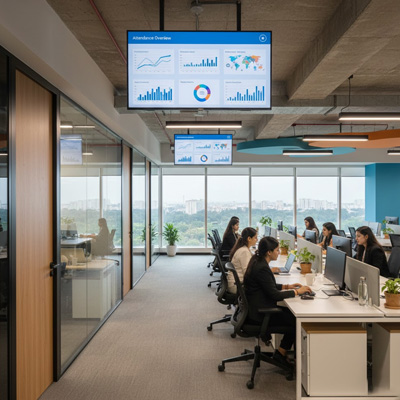
Typical setup
Biometric + app · approval hierarchy · owner dashboard
What goes wrong today
The three problems we hear from corporate offices
01
Approvals by email thread
A leave request goes to the team lead, then HR, then the director — and the balance is updated by whoever remembers.
02
Every department, a different Excel
Each department head keeps their own attendance sheet; finance reconciles six formats before salary.
03
The owner has no single view
Headcount, who is in today, who is on leave — answered by phone call, not by a screen.
A typical day
One day at a corporate office, counted correctly
Every row is a different rule. Timeion counts each one by its own shift — including the ones that cross midnight.
How we set it up
Timeion, configured for corporate offices
Same engine as every other customer. These are the rules, devices and pay components we switch on for you.
Devices & punching
- Face terminal at reception, staff app as backup
- Web check-in for approved WFH
- Multiple offices as branches
- Device binding and login audit
Shifts & attendance rules
- General and staggered shifts per team
- Permission, on-duty and WFH requests
- Team-lead then HR approval, with escalation
- Grace time and late-mark policy per grade
Pay & compliance
- Grade-wise salary structures
- PF, ESI, PT, TDS and reimbursements
- Department-wise cost reports for finance
- Owner app: headcount, attendance and payroll at a glance
FAQ
Questions from corporate offices
Can approvals follow our reporting structure?
Yes. Each employee has a reporting manager; requests go to the team lead, then HR, with escalation if nobody acts. Every step is logged.
Can department heads see only their own team?
Yes. Role-based access scopes managers to their department, HR to the company and the owner to a read-only view of everything.
Is there an audit trail?
Yes. Every edit to attendance, leave or salary, and every login, is recorded with who, when and what changed.
Can the owner see all offices on one screen?
Yes. The owner app shows headcount, today's attendance, leave and payroll across every branch, live, without editing rights.